I can easily remote into your PC/Laptop for remote support.
In order for me to remote in please do the following:
1. Call me first 519 426-5020
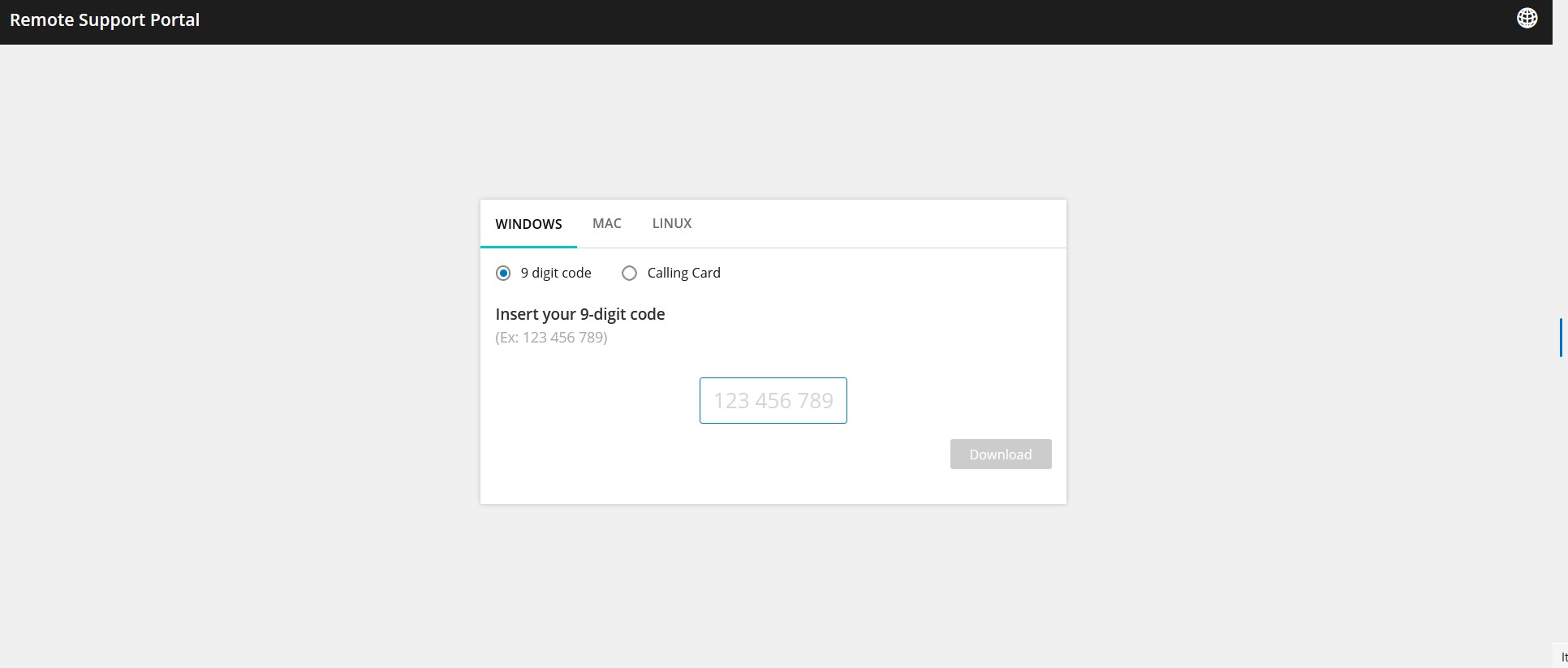
2. Click on Remote Support.
3. This will go to a website where you will need to enter a 9 digit code that I will provide.
4. Click on the area where to enter the 9 digit code.
5. Type in the the 9 digit code provided
6. Click on Download
7. Once downloaded you want to open/run the file. When opened it will ask to give permission. Select Yes
8. I can then remote into your PC/Laptop
Example of screenshot: